

Your solution for dialogue fills, matching room tone and creating soundscapes
Undertone 2 takes the fuss out of creating effective dialogue fills. Import your audio - ambience or a whole take of original dialogue - and the plugin will resynthesise it into a consistent bed of ambient sound. You can also take things further, generating complex soundscapes using multiple samples and probability weightings.
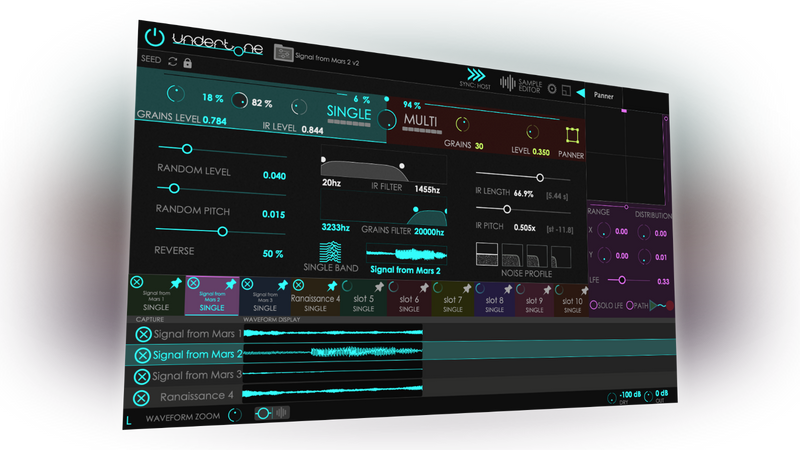

Fills Made Simple
Import original dialogue audio or recordings of ambient background (AudioSuite supported), and Undertone 2 will automatically slice and recombine it to output a bed of sound.

As Deep as You Need
Simulate entire scenes with sample triggering probabilities, edit imported samples, make multichannel granular movement, pitch and filtering, up to 50 grains, random and reverse.

Support
VST3 / AU / AAX / AudioSuite, Up to 7.1 Panner support, Multichannel path movement, Full automation support, License by iLok (USB)
Three Ways, One Tool
Every sound is different. Undertone 2 has three ways to resynthesize anything from a whirring machine, a real-world ambience or a complex soundscape. Use one or combine them to get the sound you need.

Granular Engine
Resynthesises audio by playing back multiple grains of up to 30 seconds each. Randomize grains Level, Pitch and Reversal. Apply filtering and try Multiband mode. Ideal for ambience that contains events like keyboard clicks or chattering.
Convolution
Use the sample as an impulse response. Change the pitch, length, filtering and noise profile. Great for keeping the complexity and character of constant tones like whirring machines and ambient room sounds.
Multi Sample
Load up to 10 samples and set their probabilities to trigger. Build everlasting soundscapes from individual samples, conjure dronescapes, and engage the Panner to playback up to 50 grains with individual movement paths.
What Professionals Say
Undertone is my favourite tool for creating dialogue fills. It sounds more natural than anything else I have tried.

Dustin Harris
Supervising sound editor (The Handmaids Tale, The Expanse, Locke and Key)
Undertone has become an invaluable tool in my effects editorial and design arsenal. In many instances, I am able to take a handful of seemingly ordinary sounds and create unique beds with extraordinary movement, characteristics, and, at times, emotion.

Andrew Twite
Sound designer (Everything Everywhere All at Once, Star Trek: Discovery)
Undertone is now an essential in my dialogue-editing toolbox - for creating a clean fill, a fill with movement in it, for continuing big noises such as planes or car noise which is often hard to fill, for elongating screams - you name it. And it is a must-have for creating DX sessions for M and E too. Strongly recommended!

Michael Maroussas
Supervising dialogue editor (Chernobyl, Black Mirror, Darkest Hour)
The grown up kids at Audiokids have enclosed two of my desert island DSP tools - granulation and convolution - in a unique and friendly device. Once you have started using Undertone, it is addictive - primarily for the tiny but important tasks such as creating air fills for dialogue tracks. Watch out though: it is a powerful instrument to create complex soundscapes and atmospheres in an intuitive, simple interface.

Matteo Milani
Sound Designer and Founder, Unidentified Sound Object
Fulfilled with just fills? Try Undertone Lite

For simple ADR jobs and dialogue fills, Undertone Lite brings you Undertone's granular and convolution engines for single-sample background ambience recreation. Undertone Lite costs a little less and can always be upgraded to the full Undertone when you need more power. Compare Undertone 2 and Undertone Lite with the Comparison Table at the bottom of this page.
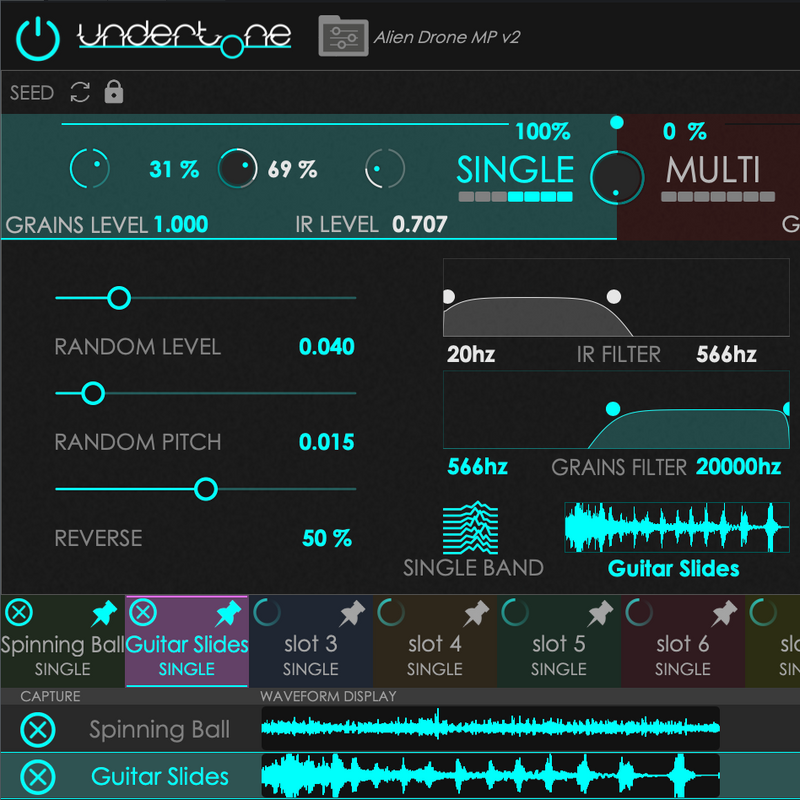
Single Engine
Granular (blue) slices grains up to 30 seconds with Random Level, Pitch, and Reverse controls. Convolution (white) convolves the loaded sample with IR Length and Pitch controls plus a noise profile for added texture.
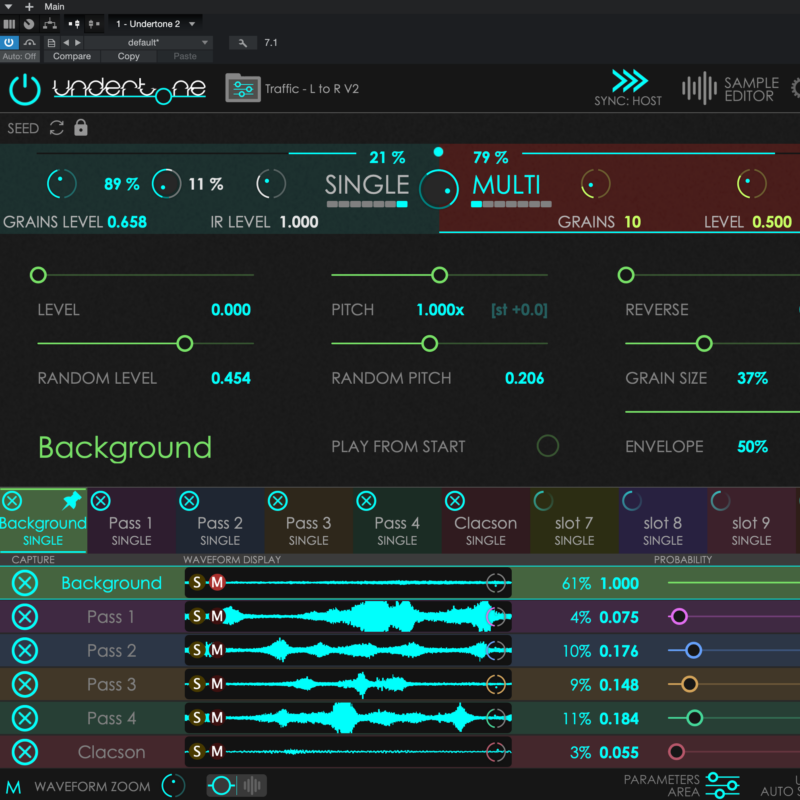
Multi Engine
Load up to 10 samples with up to 50 grains and the Panner. Each sample has Level, Pitch, Reverse, Grain Size, and Envelope controls. Set Probability and Grains Limit for building complex scenes.
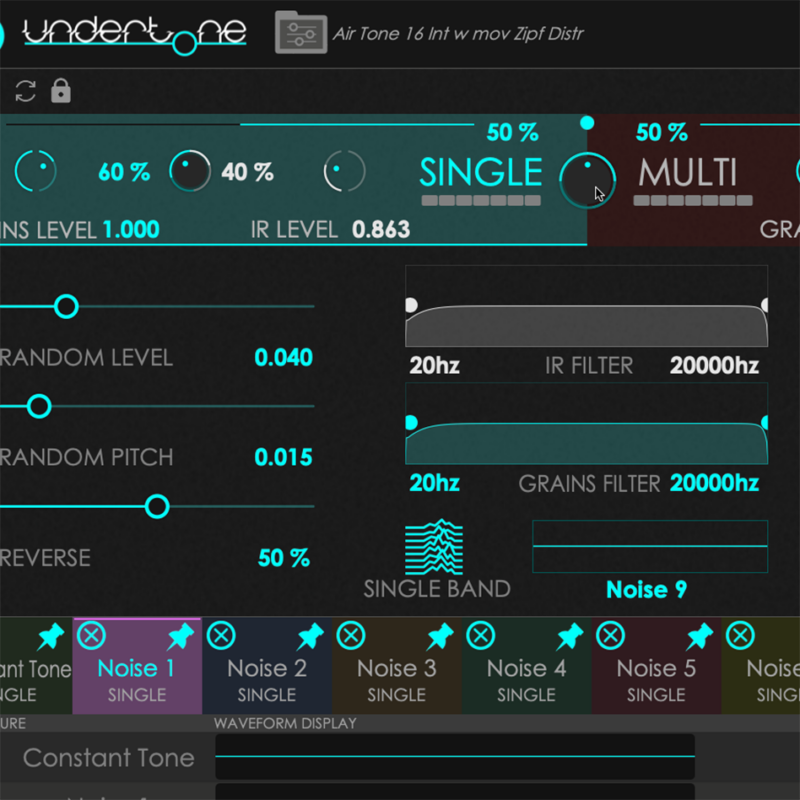
Blend it all
Combine all three engines - blend Granular and Convolution together, then mix with the Multi engine for maximum flexibility and creative control.
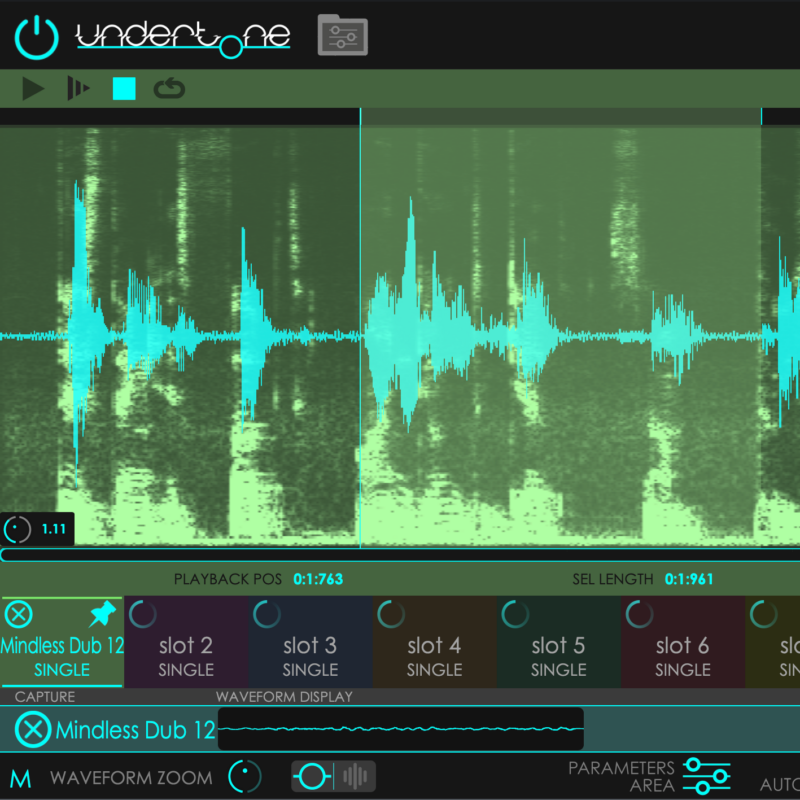
Sample Editor
Trim your samples with precision. AI voice recognition helps isolate background noise from dialogue. View your audio in spectrogram mode for detailed analysis.
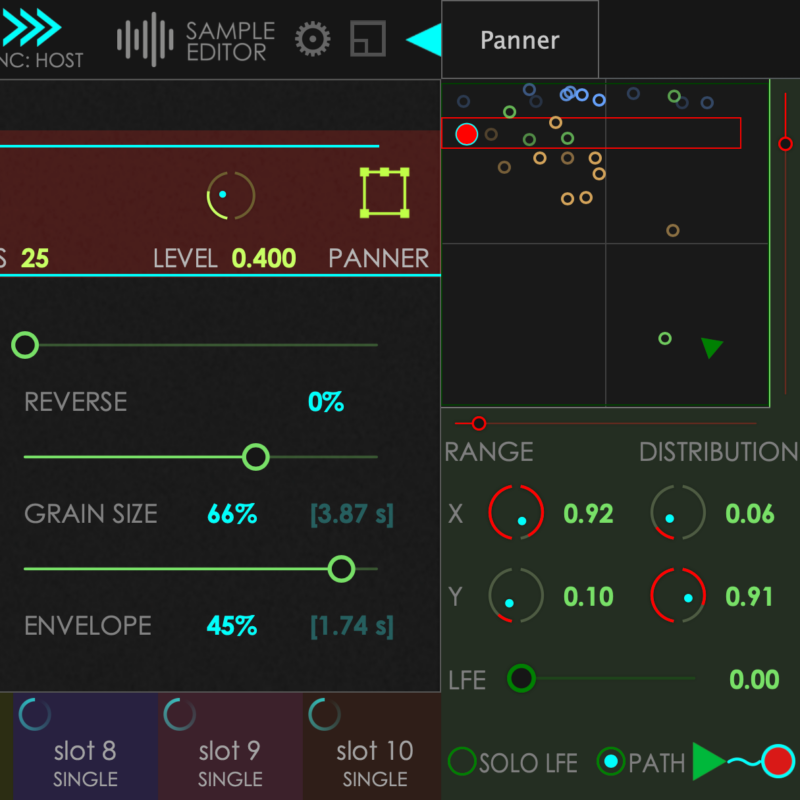
Panner
Up to 50 grains moving in multichannel setups. Set start and end path points for directional atmosphere that moves through your surround field.
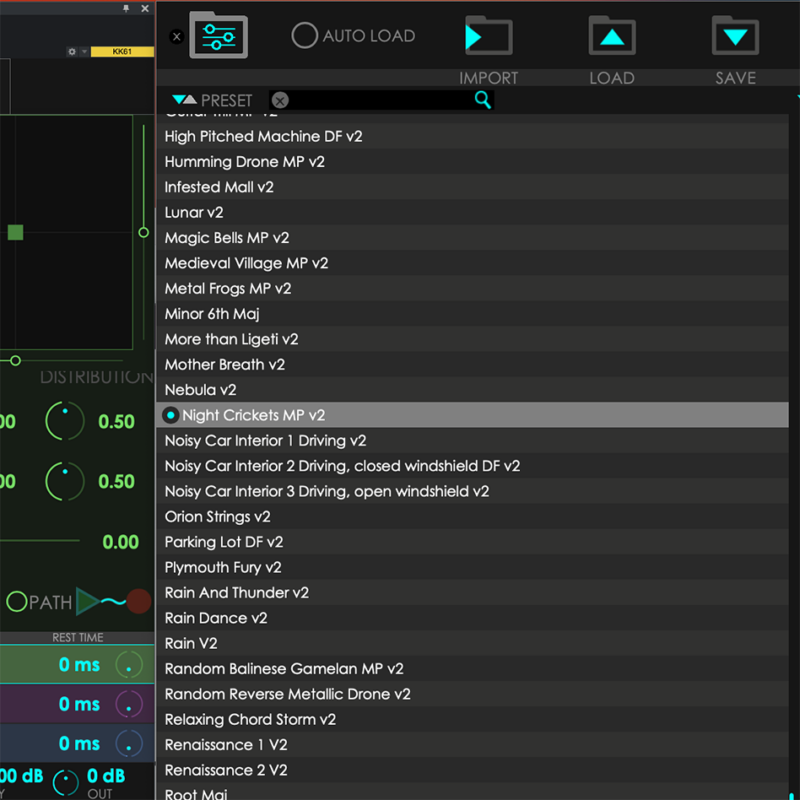
100+ Presets
From air conditioners to drone armies. Browse the tagged preset browser with user tags support. Find the right starting point for any soundscape or fill.
Undertone 2 vs Undertone Lite
Choose the right version for your workflow.
| Feature | Undertone Lite | Undertone 2 |
|---|---|---|
| General | ||
| Presets | 50+ | 100+ |
| Sample Editor | ✓ | ✓ |
| AI Autoselection | ✓ | ✓ |
| Resizable UI | ✓ | ✓ |
| Drag and Drop | ✓ | ✓ |
| Dry Mix | ✓ | ✓ |
| History | ✓ | ✓ |
| Synthesis | ||
| Single-sample Engines (Granular + Convolution) | ✓ | ✓ |
| Multi-sample Engine | - | ✓ |
| Random Controls (Level, Pitch, Reverse) | ✓ | ✓ |
| IR Controls (Length, Pitch) | ✓ | ✓ |
| Filter | ✓ | ✓ |
| Noise Profile | ✓ | ✓ |
| Surround Support | - | ✓ |
| Probability Triggering | - | ✓ |
| Panner (up to 50 grains) | - | ✓ |
| Multiband Mode | - | ✓ |
| Support | ||
| 7.1 Surround | - | ✓ |
| Formats | VST3, AU, AAX | VST3, AU, AAX |
| Full Automation | ✓ | ✓ |
| AudioSuite | ✓ | ✓ |
| Accessibility | ✓ | ✓ |
| macOS / Windows | ✓ | ✓ |
Minimum Requirements
- Mac OS 10.13 or greater, Universal Binaries (Intel and Apple Silicon natively supported)
- Windows 8 or greater (Windows 10 recommended)
- Pro Tools 12 or greater
- Any DAW supporting VST3 or Audio Unit plugin standard. All plugin formats in 64-bit only.
- Requires an ilok.com account and an iLok dongle version 2 or 3
Ready to Transform Your Workflow?
Join thousands of sound editors who use Undertone 2 to create professional dialogue fill and soundscapes in a fraction of the time.