

Sound and Foley Replacer
Replace audio clips in large Pro Tools sessions in a fraction of the time. Swap out or layer up Foley - from footsteps to gunshots - or build your own custom profiles for any replacement job.
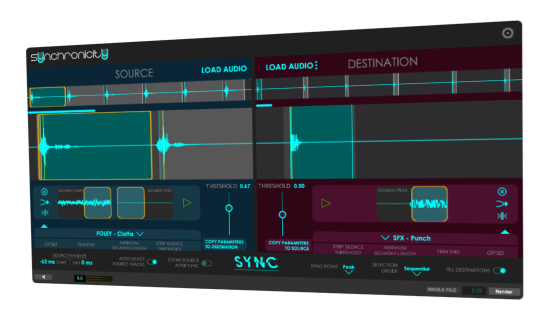
How It Works
Three simple steps to replace your audio.

Load In
Select your audio on the timeline - load the original into the Destination section, and the new audio into the Source section.
Set Up
Confirm the type of audio, and set the Threshold to confirm your marker positions.
Swap Out
Click the Sync button and watch the new audio be copied into the right position on its track.
See what you're doing
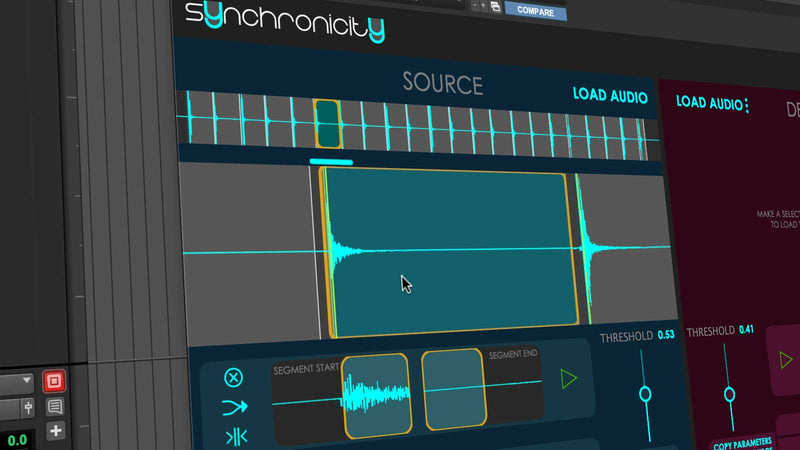
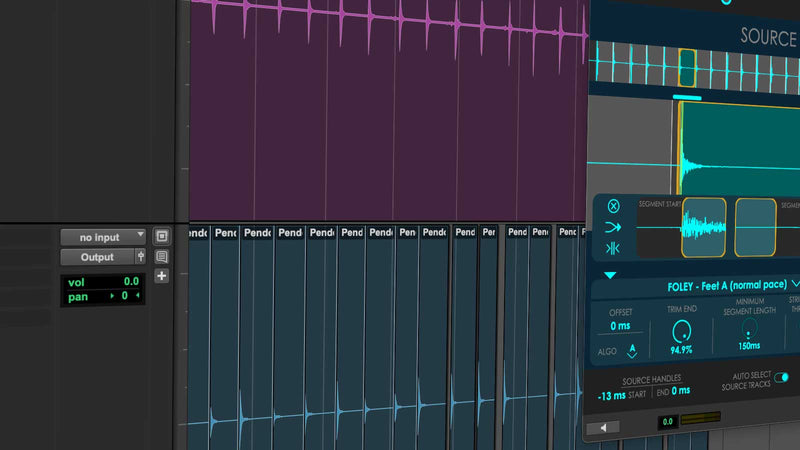
View your waveforms at three different zoom levels to reflect the whole scene, a zoom into the general audio event, and a close-up view of the transient and the end of the sound. Use your keyboard to speed up navigation and previewing of different slices.
Fine-tune your audio selection
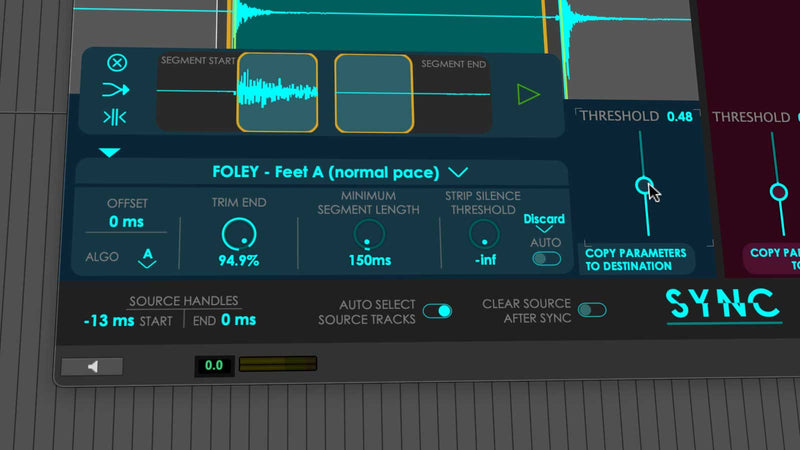
Define how the plugin categorizes a clip or an audio event. Move the threshold to include lower or higher audio level, define a minimum segment length, and offset and an ending trim. We have included presets to cover the most common sound effects. You can also use markers for positioning.
Level match or shuffle
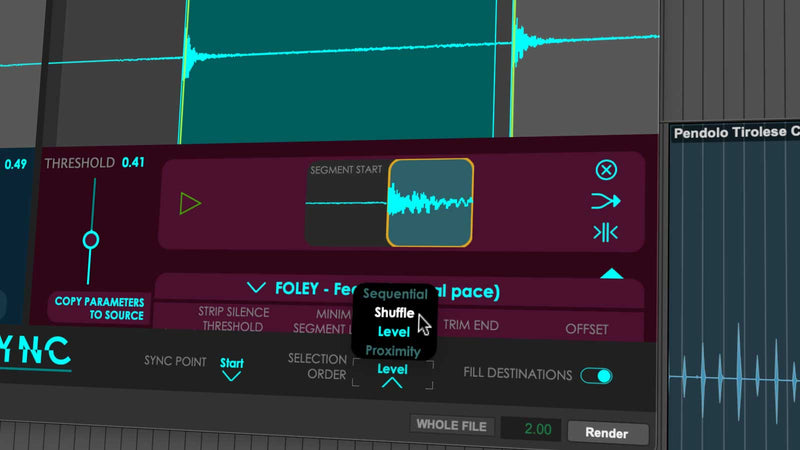
By default, your earliest source sounds will replace your earliest destination sounds (Sequential). You can override this to replace in an order that matches your preference.
Layer as well as replace
Audiokids Synchronicity copies and pastes clips, including their automation, and does not automatically remove the original sound when done, so you can layer and build.
How Would You Use It?
With Audiokids Synchronicity, you can replace anything that you can define a marker position for. Here are some examples...
Replace all footsteps with different-sounding replacements
Swap out punch sounds with a varied selection of new ones
Replace a sound and move any programmed automation with the clip
Adapt or layer gunshot sounds, and define single or burst responses
Change up the sound of a dog woofing by replacing it or adding a new layer
Overwrite the sounds of cars passing with new sounds of a different character
Replace clicking keyboard sounds with a new type of sound
Swap out the sound of a dripping tap with one of a different character
Change up the sounds of bullets or arrows flying with something new
Layer more sounds to make more complex and varied creaking floorboards
Enhance or swap out a ticking clock sound
Replace an intentionally recorded trigger sound with one recorded or purchased later
What Professionals Say
Synchronicity has been a huge time-saver - it has streamlined my workflow and really pushed me towards more creative experimentation. I am cutting in more layers and trying things out more than I used to.

Enos Desjardins
Sound editor (Mission: Impossible - The Final Reckoning, Black Mirror, Locke and Key)
This will save time when building complicated SFX stacks and is essential for syncing multiple elements.

Jason Brennan
Sound editor (The Contract, Faster, Harsh Times)
Synchronicity has the potential to save editors a ton of time in getting through dense sequences of repetitive elements. In the Star Trek universe, there are lots of repetitive sci-fi sounds - buttons, alerts, beeps, chimes, etc.

Andrew Twite
Sound designer (Star Trek, Everything Everywhere All at Once)
Synchronicity was helpful with designing and cutting UI, telemetry, and tech in Alien: Earth. I was able to spot events via markers and then sounds to flush out ideas and experiment. Once I had the elements I wanted, I could use Synchronicity to help me populate those ideas throughout the series.

Justin Davey
Sound designer (A Quiet Place, Spider-Man: No Way Home)
System Requirements
- macOS 10.14.6 or higher (macOS 12.7+ recommended)
- Intel and Apple Silicon Universal Binary
- Avid Pro Tools 2023.09 or higher (2024.6+ recommended for Markers support)
- AudioSuite plugin only (no real-time AAX)
- Copy protection by PACE Anti-Piracy
- Requires iLok.com account
- Supports iLok USB keys (v2/v3) or machine-based authorization
Important: In Pro Tools 2025.6, the Load Markers feature does not function correctly if the session contains Memory Locations without time properties. This issue originates from Pro Tools and is expected to be resolved in a future update from Avid. The Load Markers feature works as expected in Pro Tools 2024.6 and later versions, with the exception of 2025.6.
Stop Replacing Sounds One at a Time
Join professional sound editors who save hours on every project with intelligent sound replacement.