

Multi-Channel Audio Export for Pro Tools
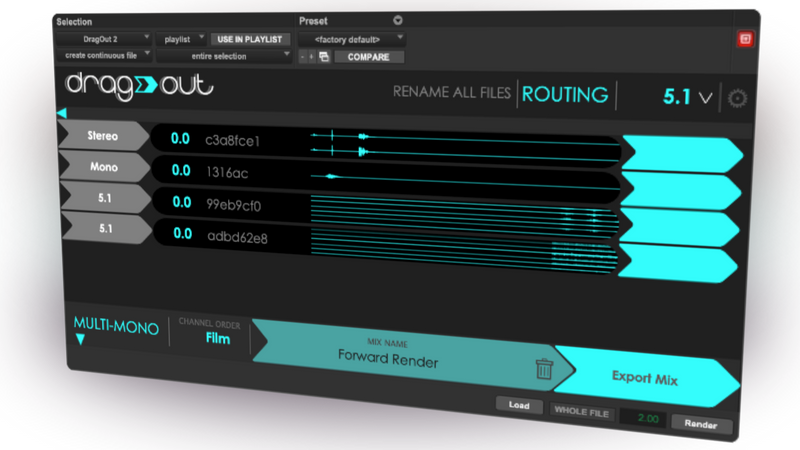
Exporting audio from Pro Tools used to feel like a drag - now it really is one! Select your tracks and timeline, then export without bouncing. Send it to Finder, another DAW, WeTransfer, or anywhere you need it.
Drag audio to anywhere
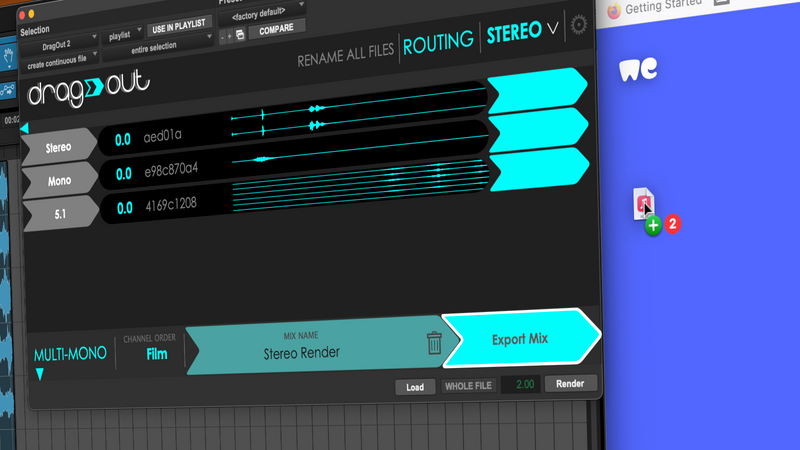
Select your tracks and timeline then export without Bouncing! Send it back to Pro Tools, drag it into another DAW, or maybe to Finder, WeTransfer, Gmail... Find out how it works in the introductory video demo.
Supports up to 7.1.2
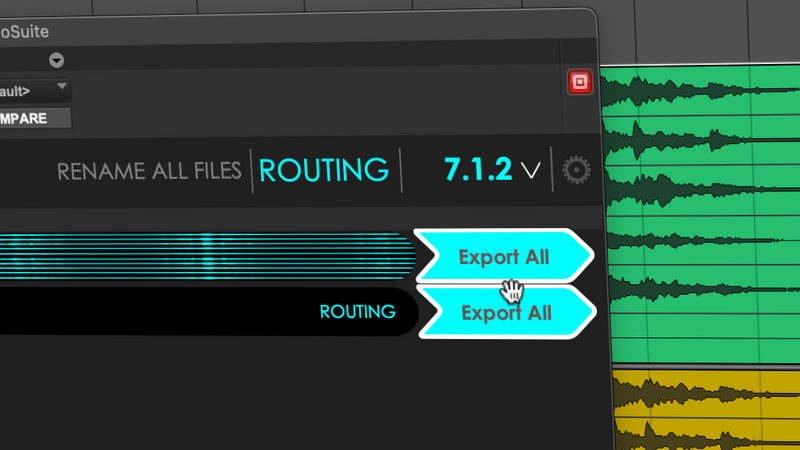
Go between 7.1.2 and any other multichannel format. Export interleaved or Multi-Mono files, and re-order the stack so everything arrives in the correct order.
Transform anything to anything with the routing matrix
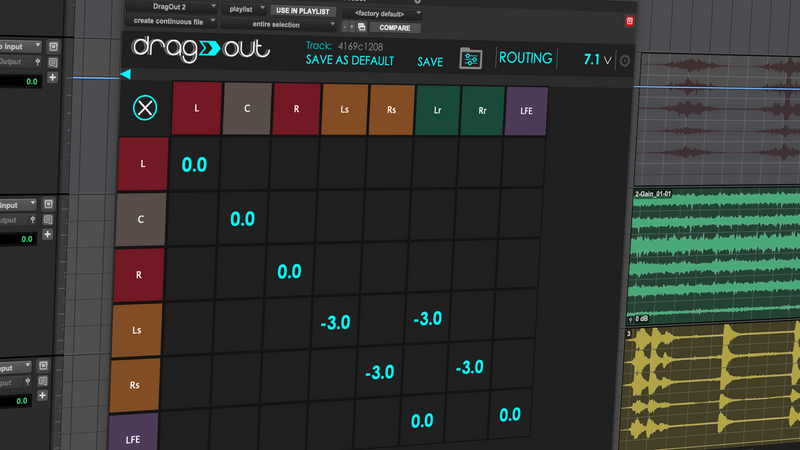
Inputs go down the left side, outputs go along the top. Reach for preset routings with the correct channel ordering and gain settings, or go custom and make it work your way.
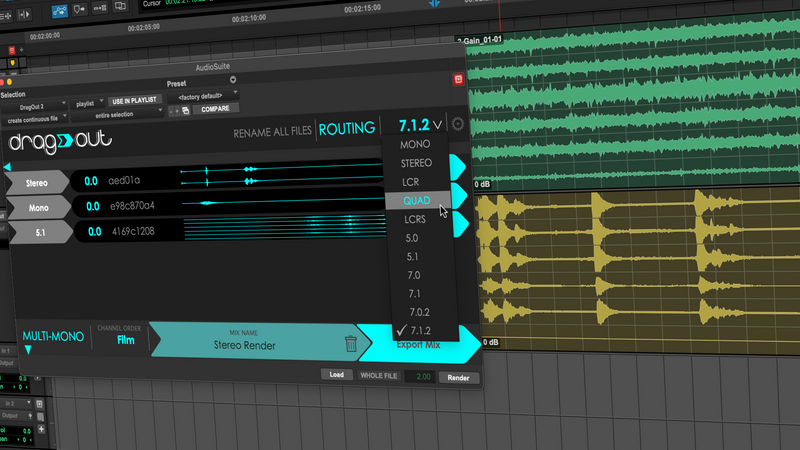
Export a full mixdown, individual tracks, or stems
Choose your output format from the top-right menu. DragOut will upmix or downmix your loaded tracks to match, and you just drag them out. Grab the full mix, single files, or multiple single files.
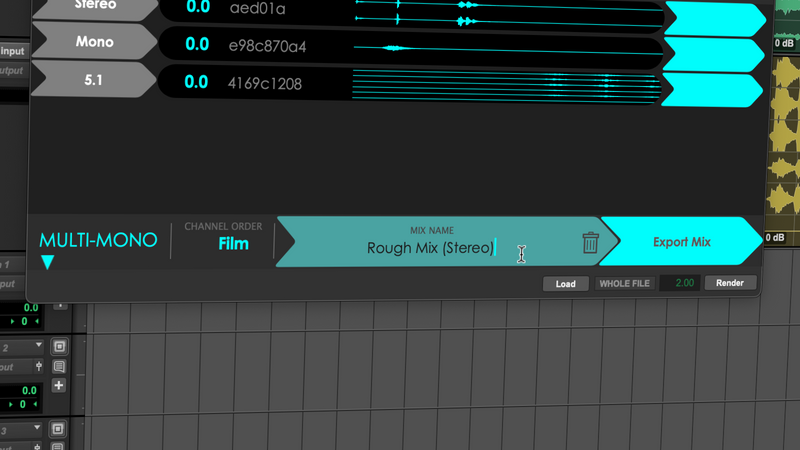
Name before export
Rename files in batches before you drag them out, not after. DragOut makes it simpler to name your output file or individual tracks within a stack of files.
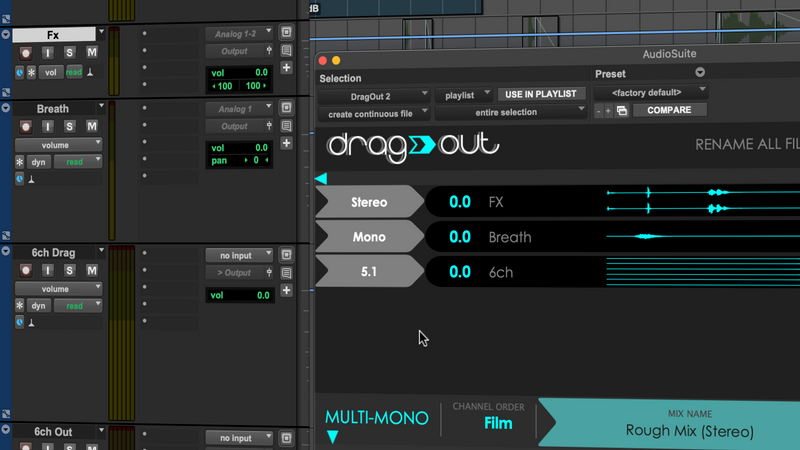
DragOut understands
It gets your audio formulation right. Each track represented in DragOut has the right name and stereo formulation as it does in your Pro Tools timeline. If you are running Pro Tools 2023.12 or later, track detection is automatic.
What Professionals Say
Drag Out 2 is a genuinely helpful piece of software that should not be underestimated. I use it frequently in my work.

Robin Green
Sound Editor (Orbital, Feardotcom)
DragOut 2 has become one of my must-have plugins. It is a fast and effortless way to mix down multiple audio clips without the need for bouncing.

Tony Gibson
Sound Editor (SAS: Rogue Heroes, Extraordinary, Patrick Melrose, Misfits)
System Requirements
- macOS 10.14.6 or higher (Intel and Apple Silicon Universal Binary)
- Pro Tools 11 or higher
- Pro Tools 2023.12.1 or higher for automatic track detection (see here for previous versions)
- AAX (64 bit) AudioSuite only
- Copy protection by PACE Anti-Piracy
- Requires iLok.com account
- Supports iLok USB keys (v2/v3) or machine-based authorization
Export Audio the Easy Way
Stop wrestling with bounce dialogs and file management. DragOut 2 makes exporting multi-channel audio as simple as drag and drop.